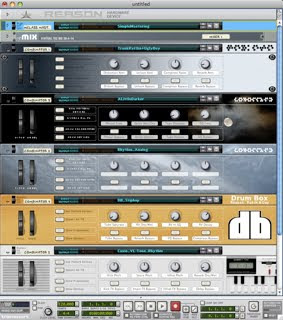
Woke up to a nice surprise in my inbox - Robb from Reason: Patch a Day has released an update to the fantastic Kick Toolkit ReFill:
"I wanted to take a moment to thank you again for purchasing my Kick Toolkit Refill. I had no idea what kind of response I would get when I first started putting the refill together, but I was both pleased and thankful for every order I received. Thanks!
Words are nice, of course, and it's great to get a pat on the back from someone who appreciates you, but you can't load a thank you into Redrum or NN-XT. That's why, in addition to my thanks, you're also getting an updated Kick Toolkit Refill for the holidays! The updated refill fixes a navigation issue with the NN-19 folder, renaming it to Samplers, which now contains a folder for the NN-19 patches and a separate folder for the simple Combinators. Hopefully this makes a little more sense to use on your end.
Also included in the update are 90 new kick drum samples, putting the total sample count at 400 analog kicks.
Given that I made changes with the folder structure, I'd recommend you keep the old refill, until you're certain that this update doesn't "break" any of your projects.
Thanks again for supporting Reason Patch A Day and for sending a few dollars my way.
The kick is the backbone of dance music. Defining both style and genre by it's sound and rhythm, from the straight click of minimal tech to the bouncy thud of hip hop. So needless to say a great kick is vital to any production. Personally, I've been collecting old analog drum and rhythm machines for a number of years and one I've always had my eye on is the Jomox M-Base. The latest incarnation, the M-Base 11, is capable of classic 808/909 kicks and much much more, with a frequency range down to 10hz! Of course the real issue with using this drum synth is the need of a sequencer, and if your like me and prefer making beats in Reason, that's an issue (midi out in Reason 7?). But that's where the new Kick Toolkit ReFill from Robb at Reason Patch a Day comes in! Featuring over 300 samples recorded directly from the M-Base 11, 38 specially designed drum kick effects Combinators, 11 mini-combis with dedicated front panel controls and a boat load of tuned kick synths - all for $5!
After picking up the Kick Toolkit ReFill and spending an afternoon lost in rhythm nirvana I had to ask Robb a few questions about this refill:
You've been working on Reason Patch a Day for over 4 years! First off what made you decide to do a commercial refill now and why the Jomox MBase 11 Analog Bass Drum Module as your sound source?
"It was really a case of the device leading the project. I had been wanting a MBase 11 from the minute I had read about it, and when I finally got my hands on one, I was blown away by the sounds I was able to get out of it. Since I'm constantly "feeding the blog," it made sense to put together some kick samples for Reason Patch A Day, but the more time I spent using the Mbase, the more I thought the samples could stand on their own.
My original plan was just to package them up as a sample library, but given my love for Reason, I decided that I could add some personalized effects and make it a refill. I'm sure I cost myself some potential customers by focusing just on Reason, but I wanted to support the community that has supported my blog for so long."
The Kick Toolkit comes with over 300 samples that cover a lot of sonic terrain - from classic analog sounding kicks to the short click kicks that I love. I've been playing around with the raw samples loaded into Kong for the last few days and was quite pleasantly surprised out how well the kicks fit with Kong's built in snare and hat modules - when creating these kicks did you visualize how they would sound with Reason's built in devices?
"Not really. My goal was just to concentrate on the kicks themselves. The kick drum is the foundation of a lot of electronic music, so I figured that if people had a solid foundation to start with, they'd find ways to add to it with other sounds and drums.
I was a little worried, at first, about having a set of kicks that didn't have kits built around them, but when I did some experiments on my own, I quickly realized what you had discovered. It's surprisingly simple to just add a good snare or hi-hat to the kicks in the refill, and it all just works."
The samples themselves are recorded at 24 bit resolution and sound fantastic! On the Reason Patch a Day site you mention using no outside processing, out of curiosity what's your studio set-up?
"It's pretty minimal. When I first started using Reason, I got my hands on a first generation M-Audio Oxygen and a Quattro, but found that I did most of my work on a laptop, away from home and any dedicated hardware. I've slowly swung back around to having a dedicated studio space, but I still do the majority of my work in Reason with a mouse, as opposed to a keyboard.
I have a pile of old drum machines, some keyboards, a couple of microphones, a Mobile-Pre, and a collection of various sound toys laying around (stuff like the Casio VL-Tone, Stylophone, an original Beep-It, a Bliptronic, a Korg Monotron and the Monotribe, etc.), but usually once I've sampled what I like, those boxes don't get used much.
The device I probably use the most is my Microtrack II. It's a small digital recorder that can accept a signal from a mic or a couple of formats of line-in and I use it for a lot of my sampling, given that I can literally take it anywhere. It sounds great for the price and hasn't failed me yet. I did most of the recordings directly from the Mbase into the Microtrack II and I think the results were great.
I suppose what I really should do is clean up my studio and get everything wired up. Maybe that'll be a good New Year's Eve project. "
Kick Toolkit Specs:
Kick Drum WAVs: Over 300 unique kick drum samples created using the Jomox Mbase 11 Analog Bass Drum Module, a single voice analog synthesizer fine-tuned for producing a variety of bass drum sounds. Each kick was created specifically for this refill and was sampled at 24-bit resolution, with no outside processing, for the cleanest possible signal and sound.
Effects: The Kick Toolkit Refill contains 38 effect patches, using Reason's Scream, RV7000, Pulverizer, and other effect units.
Mini-Combis: One or two device Combinators designed specifically for the purpose of manipulating and sculpting kick drum patches and samples. Each Mini-Combi has been programmed with front panel control ranges designed for its limited task to make final tweaks fast and easy. A number of Mini-Combis have also been included to provide presets for devices that do not normally allow for loading and saving patches (ex. BV512 Vocoder). 11 mini-Combis are included, along with 43 additional presets, providing help with compression, equalization, and other general purposes.
At $5 USD picking up the Kick Toolkit ReFill is a no brainer. Seriously this refill will give you enough low end sample fodder for months to come, not to mention the great Combinators and effects devices. Check out some of the beats I came up with while playing around with Kick Toolkit along with sounds from the Reason Factory Soundbank and Nucleus Soundlab's BFD Core ReFill:
Robb over at Reason Patch a Day just updated the Reason Patch a Day Archive Refill Vol.1 to coincide with the two year anniversary of his site! If you haven't already donated to Reason Patch a Day now would be a great time to pick up the final update to the Reason Patch a Day Archive Refill Vol.1. The Archive Refill contains over 1,100 files from instrument combinators to effects patches to sweet lo-fi drum kits. Go to Reason Patch a Day for more info!
I sent Robb over at Reason Patch-a-Day some audio clips of one of my favorite rhythm machines, the Siel MDP-40, a week or so back so he could Recycle them into Rex files for us! There's six clips of the Siel run thru a couple of my favorite effects pedals. Go get them!
Remixes for the Reason Patch a Day Challenge are now being posted over at Reason Patch a Day. Chris Stallone remixed my 15728 piece and turned it into his own! Also some great remixes by DJ Mad Wax and Robb-a-Day thus far. I'll hopefully start working on my remixes next week....... Check it out!
I finally finished my piece for the Reason Patch a Day Challenge. The point of which was to finish a track in Reason (or at least begin one) in a week. Mine was a week late, but those of you that know me, know that's how I run. There's been some great entries, I dug Jeremy's "2048", Chris Stallone's "Sunshine", V2057's Tarnac 9 (Rough), and Robb PAD's "Breaching The Heliopause". Really everyone's was pretty cool. Definitely worth checking out!
Robb over at the Reason Patch a Day Blog has just uploaded an archival refill that collects many of the great patches you've downloaded for the past year and half on his site! The refill contains:
One of my favorite blogs, Reason Patch A Day, is featuring my new effects combi today - The Sway Delay! I posted an example of the patch last week (see below) and managed to put the finishing touches on this new Reason based Delay effect over the weekend. Go check it out!
One quite simple trick to breathe new life into Rex files is changing the octave. But if you read this blog regularly you know I don't just stop at simple. So today we're going to talk about controlling the octave of Rex files in Dr. Rex. To get started find a Rex loop you like and hit the "PREVIEW" button on Dr. Rex. While the beat is looping try twisting the Octave control dial ("OCT" dial just below the "OSC PITCH" banner) to find which octaves sound best to you. Once you get an idea of that it's time to set-up a combinator. To do this left click on your Dr Rex and choose "combine". Now that you have yourself a combinator you'll need to create a Matrix Pattern Generator (but when creating the Matrix make sure to hit the "shift" button on your computer keyboard, because we don't want this controlling either the combinator or Dr. Rex just yet.) But we'll leave the Matrix be for now.
Okay, you'll want to open up the combinator's control surface at this point, by hitting the "Show Programmer" button. Inside of the programmer, next to Rotary 1, assign "Osc Octave" by clicking on the middle space. Once that's picked you'll notice the "Min" and "Max" amounts are automatically set-up for 0 to 8. You'll want to assign these to the lowest octave you liked the sound of and the highest (I've found that I usually like my "Min" on 2 or 3 and "Max" on 5 or 6.) Once you've chosen your Octave spread in the programmer that can be closed. Next hit "Tab" (on your keyboard), and on the backside of the combinator drag the CV cable from the Matrix's "Curve CV' out to the Combinator's Rotary 1 input. With this in place turn the dial next to Rotary 1 all the way to the right. You'll also want to switch the Matrix from "Uni-polar" to "Bi-polar" (the black switch two sockets over from "Curve CV').
Now our combinator is set-up and it's time to draw in patterns on the Matrix! Flip your rack back to front side (using the "Tab" key again) and switch the Matrix from "Keys" to "Curve" (switch just to the left of Matrix LCD.) By default the Matrix is set-up on 16 steps with all the bars in the pattern set downward to the bottom. I generally will draw these bars into the middle and then play around with the settings until I find something I like. Try different steps and resolutions as well, the real fun is in the exploration! If you find multiple patterns you like, you can always use the different patterns in the Matrix to store them and set up a knob on the combinator to switch between them (like in the combinator I've set-up for you on the bottom of this post.) Another option besides a Matrix is using a LFO. Either the one onboard in the Dr. Rex or by creating a Malstrom and using their built in Mods. You set this up in a similar fashion, by dragging the CV cable from the LFO/MOD out to the Rotary 1 input. Dig in!
Here's an audio example:
Audio example with 2 bars regular, 2 bars with octave shifting, 4 bars with bass accompaniment (bass patch courtesy of Reason Patch A Day, with Scream tube amp setting.)
Below's a combinator I've set-up to get you started with multiple patterns. Just press "PREVIEW" on Dr. Rex (inside the combi) and play (space bar) to check out the patterns. Or use it as a template and choose your own Rex file. Check it out:

 Posted with Blogsy