Ed "EditEd4TV" Bauman posted a video of a bit of Peff's presentation from last night:
UPDATE:
Part 2

Showing posts with label EditEd. Show all posts
Showing posts with label EditEd. Show all posts
Thursday, April 12
Monday, December 5
EditEd4TV Chordal Strummer V.1!
It's people like Ed Bauman that make the Reason community so great! Here's a look at his Chordal Strummer Combinator included in the fantastic Reasonable Help 2010 ReFIll:
"Chordal Strummer V.1 is part of my Reasonable Help 2010 ReFill for Propellerhead's Reason music software. This Combinator allows you to play very realistic guitar strumming sounds with a single key press. Granted, nothing beats a real guitar, but this is a great solution for those that don't have access to a real acoustic guitar." -EditEd4TV
"Chordal Strummer V.1 is part of my Reasonable Help 2010 ReFill for Propellerhead's Reason music software. This Combinator allows you to play very realistic guitar strumming sounds with a single key press. Granted, nothing beats a real guitar, but this is a great solution for those that don't have access to a real acoustic guitar." -EditEd4TV
Saturday, October 8
88mph Vol.1 ReFill Review!

Ed "EditEd4TV" Bauman is no stranger to die hard Reason users. He's a stalwart member of the PUF and hosted the "Create Any Sound You Hear" day for Propellerhead's May Music Making Month this past Spring. I had the pleasure of interviewing Ed for Resonant Filter back in August of 2009, and have enjoyed his fantastic Recovers ever since they started appearing on Ed's youtube channel. So when I found out about his new 88mph Vol.1 Reason Refill I knew we needed to take a closer look...
EditEd4tv's 88mph Vol.1 is a refill based on Ed's Recover work and consists of 51 combinator patches made up from 9 classic 80s hits: Prince's "1999", Depeche Mode's "Just Can't Get Enough", Simple Minds' "Don't Your Forget About Me', Human League's "Don't You Want Me", Cindy Lauper's "Girls Just Wanna Have Fun", Blondie's "Heart of Glass", Bowie's "Let's Dance", Madonna's "Like a Virgin" and Eurythmics' "Sweet Dreams". It should be noted that Ed's Recovers have sounded so much like the originals that he's had many flagged on youtube for copyright infringement! Each patch in 88mph Vol.1 is named beginning with E4TV_Song Name, then Patch (example E4TV_1999 Bass Synth). That way each song's patches are near each other. Makes sense? Will take a closer look at a few of these tracks in a minute, but first I wanted to ask Ed why he thought 80s music remains so popular 20+ years after the fact:
"I think 80's music has survived through the years because it was simply a fun time. Granted there were problems of course, what era doesn't have problems, but growing up in the 80's as a teen was an incredible experience. Had I known what was occurring at the time, had I known we'd look back with an overwhelming sense of nostalgia... I would have paid more attention. That time was the rise of the synthesizer. Sure we had synths well before this time, but it was the birth of MIDI and the acceptance of keyboards as the primary instrument in modern pop.
And I think the truly great thing about 80's synths is that they're very specific, the tone and feel is very, well, 80's. Take for example a guitar sound. Guitars of the 50's through today have always sounded like guitars, no offense meant at all, in fact that's a good thing, but the guitar is a specific instrument that changes via the type of guitar, the effects applied, and the amp choice. And it's very much tied to the players style and ability. But a rock guitar from the 60's, that specific tone, can be used today, and based upon the players style and ability - it doesn't necessarily drip with 60's at all, it's modern, it fits in with today. Now take an 80's synth patch, and play it today, and 90 percent of the time it still has that 80's feel to it. It's identifiable. A big part of this I believe is how modern synths are so intensely multi-sampled and multi-layered and multi-effected and so much more. For me, it's sometimes overkill; why doesn't that enormous synth sound fit in the song?... because it's too freakin' huge. Back in the 80's the circuitry was expensive and sample RAM was expensive too, so you made the best with what you had: a simple sawtooth wave with a bit of chorus and a bit of reverb and you were golden. The instrumentation was often simple, the production was clean (except for massive reverb of course), the songs were *happy*... you don't often hear that today - too much bitter angst. Anyway, I'm reminiscing now, but yeah, it was a great time to live through."

The first set of patches in 88mph come from Prince's "1999". One of my all-time favorite artists! There's a "Bass Synth" patch, the ubiquitous 80's "Wind Whoosh" and the "Strings" sound used on so many of Prince's songs from that era. The "Strings" sound is one of my favorite patches from 88mph Vol.1. In fact my 86 year old neighbor is probably wondering why every morning this week she's been awakened to that particular sound and me saying "Dearly Beloved we are gathered here today to get thru this thing called life." Bless her heart she hasn't called the cops yet... ;-) But I digress, on this patch Ed uses both the LFO2 and Mod Envelope in Thor to achieve this lovely sound, which I asked him about:
"The string sound from "1999" has pitch modulation from both LFO2 and the Mod Envelope. The Mod Envelope in this particular patch is affecting Oscillator 1 only; it ramps up the pitch so that each note played has a bit of a bend at the attack. It's almost like a portamento glide up to the pitch. But because it's only Oscillator 1, it blends with the other unaffected oscillators to provide a bit of thick beating at the onset of a chord. The LFO2 output is routed via Thor's Modulation Bus Routing Section (MBRS) to CV1 output, where it's routed right back into the pitch bend input with a CV cable. You can do the same thing in the MBRS via 3 separate routing assignments, but this was a quick and easy way to affect all 3 oscillators at once. The amount sent from source to destination is very subtle (in fact it's probably too subtle), and it adds a bit of warble to the overall pitch of all 3 oscillators."
Let's take a look at Simple Minds "Don't You Forget About Me", the song that made the movie "The Breakfast Club" famous, or is it the other way around? 16 patches are included from this classic, including the fantastic "Synth", "Bass 2" and "Chirpy SID". The "Piano" sound has found it's way into my daily scales and chord practice because of it's great sound and easy control of ambience with Rotary 3. Both The "Piano" and "Choir" patches are based on samples whose origin I asked Ed about:
"The ReFill contains a number of samples within NN-XT devices, and these all access the Factory Soundbank included with Reason. It's one of the biggest mistakes that people make in my opinion... to pass off the Factory Soundbank as old and tired. There's a LOT of great content in there - a LOT. People tend to want to go beyond the FSB and search out something new and different, but I tell 'ya, there's a ton of patches in there that can be the foundation of many great things."

3 patches from Cyndi Lauper's "Girls Just Wanna Have Fun" make it in to 88mph Vol.1 as well. A great "Organ" made up from 2 Thor Saw Analog Oscillators and 1 Saw Multi Oscillator (with control for detuning on Rotary 1.) Button 1 on the "Organ" patch enables Velocity Sensitivity for more responsive playing. But my favorite patch of the three has to be the "Whistle" sound from the bridge section of the song. This "Whistle" patch has controls for the frequency of the Low Pass Filter on Rotary 1 and control for Delay Time on Rotary 3 that sweeps from an ambient slapback (63 milliseconds) to a nice slower delay (417 ms.) Between these controls and the Octave control on Rotary 2 it's very easy to tailor this patch to your own liking.
From the pop music of Madonna to the funkiness of Prince I had to ask Ed how he decides upon songs for both his Recovers and 88mph:
"I decide the songs I'm going to tackle based pretty much on just what I feel like doing. I stick mostly with New Wave of course, because it's synth oriented, but I delve into other 80's genres now and then. The source list we've compiled for the Retromaniax (the 80's cover band I'm in) is absolutely huge. It's amazing how long the list is - literally hundreds and hundreds of songs, and you can randomly pick any song in the list and start singing it, everybody remembers these songs (well, not *everybody*, but you know what I mean). So the list is long, and when you're flooded with so many great memories with each song, it's actually very hard to decide which song to recreate, they're all great. There's just not enough time to do them all."
2 patches made up from Blondie's "Heart Of Glass" make it in to 88mph Vol.1, an absolutely beautiful "Phasing Pad" and the fantastic "Pulsing Synth" sound, the latter of which uses LFo1 in Thor to modulate both the Amp Gain and Filter 1 Frequency to great effect. The former, "Phasing Pad", is a gorgeous pad sound created with a Thor Polysonic Synthesizer sent thru a PH-90 Phaser, with controls for the Phaser Speed and Feedback controlled from the Combinator's front plate on Rotary 3 and Button 3, respectively. Beautiful!
Some of my other favorite patches from this refill come from Depeche Mode's "Just Can't Get Enough" - "Sampled Brass" and "Round Synth 2" . One thing really worth mentioning about 88mph Vol.1 is that every patch has mappings for the 4 Rotaries and Buttons on the front of the combinators and the majority for the Mod Wheel - which makes them easily tailorable for your own productions, be them covers of these classic songs or more modern creations. In fact, Ed uses these patches in his own band The Retromaniax:
"Yes, all these patches come straight from the songs we've done with the Retromaniax except these are much more fine-tuned and overhauled. Upon loading any given patch the parameters are all set and ready to play as heard in the original song. To make things easy to get back to original settings, most patches load in with the knobs at either 0%, 50%, or 100%, so you can easily find your way back to normal. But yeah, these are exactly what I use with the cover band. When I take a look at my cover versions, the patches are made 95% from the ground up with initialized devices - that other 5% is an occasional NN-XT load-in of a sampled piano or something of that nature, but the analog synths are almost always initialized. Once the patch is made I'll map volume to Combi knob 4 and that's it, I'm done. But when I decided to make this ReFill I couldn't just release the patches as is with only 1 parameter mapped, so I went through a lot of work to make each patch interesting. Upon initial load-in the patch is exactly how I used it for that specific song, but changing the knobs and buttons can create some incredible changes - that's a VERY important element of this ReFill: don't just load a patch and be done, you really need to explore the knobs and buttons because I went through a lot of programming to make sure each patch provides a ton of variation. I'd say the rough average of initial creation of any single patch is perhaps 30 minutes or so, and upon revisiting each patch for this ReFill I'll spend anywhere from 20 to 60 additional minutes programming various parameters to do something for the end user, so each patch has about 50 to 90 minutes of time invested into it. That right there... that's love. :)"

In conclusion, 88mph Vol.1 is a fantastic refill for classic synth sounds from the 1980s. These patches are perfect for those interested in injecting a little sonic revivalism into their songs, and/or anyone in a cover band. You can pick up your copy of 88mph Vol.1 today from baumanproductions.com for $35 USD, or pre pay for the coming two volumes in advance for $80. And if you're in the Bay Area, make sure to check out Ed perform with The Retromaniax!
Wednesday, September 7
EditEd4TV 88mph Volume 1 ReFill for Reason & Record
Ed "EditEd4TV" Bauman has released a new refill, 88 mph Vol.1, featuring 51 combinators from 9 different 80's hits, including:
Prince "1999"
Depeche Mode "Just Can't Get Enough"
Simple Minds "Don't You Forget About Me"
Human League "Don't You Want Me"
Cindy Lauper "Girls Just Wanna Have Fun"
Blondie "Heart of Glass"
David Bowie "Let's Dance"
Madonna "Like a Virgin"
Eurythmics "Sweet Dreams"
As many of you know Ed's Recovers on youtube have been taken down mistakenly before because the songs sounded so close to the original. So if you dig these songs this is the best way to get theses sounds in Reason!
You can pick up 88mph Vol.1 for $35 USD @ www.baumanproductions.com/88mph. Or save by bundling future volumes, which will feature more combinators inspired by 80's hits!
Sunday, August 14
Korg nanoKontrol with Reason Record
"A bit of information on some files I made to greatly increase the functionality of Korg's nanoKontrol in conjunction with Propellerhead Reason and Record. The package is available for sale at www.baumanproductions.com/korgnanokontrol" -EditEd4TV
Wednesday, March 16
EditEd4TV ReCover Human League Don't You Want Me
Kick ass recreation of the Human League's "Don't You Want Me" by
Ed Bauman, aka EditEd4TV. Resonant Filter interviewed Ed back
in August of 2009. Check it:
This is my version of Human League's "Don't You Want Me", re-
created (a "ReCover" as I call it) completely in Propellerhead's
Record. All custom patches.
-EditEd4TV
Ed Bauman, aka EditEd4TV. Resonant Filter interviewed Ed back
in August of 2009. Check it:
This is my version of Human League's "Don't You Want Me", re-
created (a "ReCover" as I call it) completely in Propellerhead's
Record. All custom patches.
-EditEd4TV
Wednesday, September 1
Neptune Seminar on Saturday!
The first of EditEd4TV's Reason 5.0 and Record 1.5 Online Seminars will be this coming Saturday, September 4th, from 8:00am - 10:00am (Pacific Standard Time.) Saturday's seminar is on Record 1.5's Neptune Pitch Adjuster and Voice Synthesizer and if I know Ed Bauman this two hour class is going to cover everything you could want to know about Neptune and then some!
Sign up for the course @ www.baumanproductions.com/reason5record15seminars.html
Wednesday, August 25
EditEd4TV Online Seminars Details
EditEd4TV's Reason 5.0 and Record 1.5 Online Seminars
September & October, 2010
It's time to ramp up the online seminars again! Now that our two favorite applications are officially released, I'm hosting 5 seminars on each new device: one Saturday will be spent taking a deep look at Neptune, another weekend will be spent with Dr. OctoRex, another two weekends will be spent with Kong (that beast requires more time than the other new features), and another on Blocks and Sampling (both are basic enough to most likely fit into one seminar).
Here's what we'll be covering:
1) Neptune
2) Dr. Octorex
3) Kong part 1
4) Kong part 2
5) Blocks and Sampling
Those of you that have attended the seminars before know what it's like... it's not a washed out thin pass through the basics... we go deep, we cover pretty much everything, and you can throw your questions out at anytime via the chat window and I'll do my best to answer everything I can. You also know that I often hand out special patches at the end of each seminar, so you'll have something to play with later.
The seminars will be recorded, and you'll be given a private URL where you can watch and/or download the recorded seminar (please note that these recordings will be available only to those that attend, so don't worry, your investment in this won't be washed away by online versions being handed out for free.)
As an added bonus, if you pay for all 5 seminars in advance, you'll get a $15.00 discount (it's almost the price of a full seminar!) PLUS a special EditEd4TV shirt - ooh, ahh!
Each course is $20, sign up for all five for $85 and score an ace EditEd4TV t-shirt.
Go to www.baumanproductions.com to sign up!
Friday, August 20
EditEd4TV Online Seminars Coming Soon!
Received an e-mail from Ed Bauman a few days ago about his upcoming online seminars for Reason 5 / Record 1.5 and he was nice enough to let me repost the information:
Just a quick and simple email to let you know that I'll be starting up the online seminars again soon (ditched the "webinar" name because I just don't like the sound of that anymore). Once our two favorite applications are officially released, I'll be hosting some seminars on each new device: one Saturday will be spent taking a deep look at Neptune, another weekend will be spent with Dr. OctoRex, another weekend will be spent with Kong (that beast will probably require 2 or 3 seminars), and another on Blocks and Sampling (both are basic enough to most likely fit into one seminar).
Not sure if it will be in this order, but here's what we'll have:
1) Neptune
2) Dr. Octorex
3) Kong part 1
4) Kong part 2
5) Blocks and Sampling
Those of you that have attended the seminars before know what it's like... it's not a washed out thin pass through the basics... we go deep, we cover pretty much everything, and you can throw your questions out at anytime via the chat window and I'll do my best to answer everything I can. You also know that I often hand out special patches at the end of each seminar, so you'll have something to play with later.
Though I've always kept the seminars free, there will be a fee for these - yes, it's true, we've come to that point. Fear not... those of you that have gone above and beyond the call of duty supporting me during all these free seminar Saturday's will get a great discount. No price point just yet, but it won't be too outrageous. The recorded versions will be available only to those that attend, so don't worry, your investment in this won't be washed away by online versions being handed out for free.
So be on the lookout for an email soon with more details. Oh yeah... as an added bonus, if you pay for all 5 seminars in advance, you'll get a discount PLUS a special EditEd4TV shirt - ooh, ahh.
Thanks for all the support guys - looking forward to a great September learning all the new tools we're getting soon!
And by the way... stop by the EditEd4TV forum more often, post questions and ideas and more... it would be great to see you there more often!
I'm really hoping to attend these seminars! We'll keep you posted on further developments....
Sunday, February 21
EditEd4TV_SubGroupControl
Part 1:
Part 2:
This is a new method I've developed for creating a subgroup in Record, thereby giving you control of multiple channels via one channel strip fader.
You can use this single channel strip fader to directly control any given number of sub channels, no limits. This fader strip at full 100% has no effect on the sub channel volumes but as you begin to lower this fader, the other volumes follow, all the way to 0%.
It's not perfect, I need to do some calibration and tweaking still, but it's probably good enough for use by the masses. I suppose I'll arrive at "perfection" once we start finding limitations and errors.
Get the file here:
http://www.baumanproductions.com/reco...
I did make a few mistakes in the is video, primary one being that the "Trim" knob should be at 0% for the fader to be passive (in this video I open the file at 100%, and eventually move it to 50%). When the "Trim" knob is set to 0%, bringing the fader up to 100% will essentially allow the audio in each subbed channel to pass without any volume reduction whatsoever. If you need to "boost" from here, you can set your fader to default (0 dB), and the "Trim" knob to default (50%), and this should again be passive, but now you can boost your audio up from 0 dB. I don't think I'd recommend this implementation, but the option is there.
This file comes preloaded with three Dr.Rex loops from the Reason Factory Soundbank, simply as a demonstration.
Some great features of this method:
* There is very little you need to do to any project you've already recorded... no need to mess with creating new routings with your audio cables, no moving audio cables, no adjusting levels, no additional mixers created with the need to match whatever you had in Record's mixer, etc. All you lose is Aux Send 8.
* The individual channel strip level LED's will fade with the master subgroup fader that you're moving, you actually see the levels drop as you move just that one fader (you see the LED levels drop, not the actual fader).
* As you move this master subgroup fader, effects will fade as well, as opposed to other methods we've seen before (tapping audio off the direct out jacks) where you can fade a master subgroup but effects on the individual channels continue to feed volume to the effects, so all your reverbs and delays continue to ring out, which, 95% of the time, you don't want.
The Combinator also comes preloaded with enough labeled Spider CV units to control 48 channels, though you can subtract or add even more if you like.
Let me know what you think...
Part 2:
This is a new method I've developed for creating a subgroup in Record, thereby giving you control of multiple channels via one channel strip fader.
You can use this single channel strip fader to directly control any given number of sub channels, no limits. This fader strip at full 100% has no effect on the sub channel volumes but as you begin to lower this fader, the other volumes follow, all the way to 0%.
It's not perfect, I need to do some calibration and tweaking still, but it's probably good enough for use by the masses. I suppose I'll arrive at "perfection" once we start finding limitations and errors.
Get the file here:
http://www.baumanproductions.com/reco...
I did make a few mistakes in the is video, primary one being that the "Trim" knob should be at 0% for the fader to be passive (in this video I open the file at 100%, and eventually move it to 50%). When the "Trim" knob is set to 0%, bringing the fader up to 100% will essentially allow the audio in each subbed channel to pass without any volume reduction whatsoever. If you need to "boost" from here, you can set your fader to default (0 dB), and the "Trim" knob to default (50%), and this should again be passive, but now you can boost your audio up from 0 dB. I don't think I'd recommend this implementation, but the option is there.
This file comes preloaded with three Dr.Rex loops from the Reason Factory Soundbank, simply as a demonstration.
Some great features of this method:
* There is very little you need to do to any project you've already recorded... no need to mess with creating new routings with your audio cables, no moving audio cables, no adjusting levels, no additional mixers created with the need to match whatever you had in Record's mixer, etc. All you lose is Aux Send 8.
* The individual channel strip level LED's will fade with the master subgroup fader that you're moving, you actually see the levels drop as you move just that one fader (you see the LED levels drop, not the actual fader).
* As you move this master subgroup fader, effects will fade as well, as opposed to other methods we've seen before (tapping audio off the direct out jacks) where you can fade a master subgroup but effects on the individual channels continue to feed volume to the effects, so all your reverbs and delays continue to ring out, which, 95% of the time, you don't want.
The Combinator also comes preloaded with enough labeled Spider CV units to control 48 channels, though you can subtract or add even more if you like.
Let me know what you think...
Thursday, February 18
Friday, January 29
EditEd4TV - Live Grain Sweep
This Combinator allows you to do graintable sweep/scrub through frozen incoming audio. As opposed to other scrubber combinators I've made, this one works with incoming audio (either a full rack mix, or live audio, or whatever). Previous versions relied on loading a sample into an NN-19 or NN-XT and using "sample start" to sweep around, but this new device doesn't need that... no need to take audio, export/save as wav/aif, reimport, etc. It's all live. This demonstration is with a Factory Soundbank Combinator in run mode, as well as an NN-XT playing back a sample, but again, I'm not using the NN-XT for anything other than sample playback... it's the Combi that's scrubbing the audio.
EditEd4TV's Reasonable Help
Read my interview with EditED HERE!
Wednesday, December 23
EditEd4TV's Reasonable Help 2010 NOW AVAILABLE!
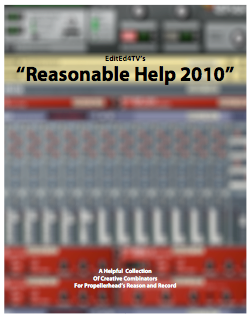
Finally available after many years of collecting file after file, this is the 2010 Version of "Reasonable Help", full of clever Combinators for Reason/Record - in this collection you'll find nearly 5 years of creations that I've offered to the Propellerhead User Forum addicts. Just a few of the files included in this edition:
• Channel Checker (switch from stereo, inverted stereo, mono, L or R only, and more)
• Chordal Strummer (a *very* realistic/controllable acoustic guitar strummer)
• Heroic Pad (the fattest and most beautiful synth pad you'll ever use)
• Keyed Layer Selector (use specific keys to activate sound layers, without sacrificing a Combi knob)
• MethSqueak (authentic recreation of a classic guitar synth)
• ReDrum Flam-Roll (add MPC style flam and roll effects to any ReDrum kit)
• Rex to Rex Gate (converts ineffective Rex slice gates into useful triggers for multiple uses)
• Scrubadubdub (an excellent pitch shifting granular effect for any sample)
• Subharmonic Generator (add a super-deep tone to any incoming audio)
• Super-Flanger (the last and craziest controllable flanger you'll ever need)
• The Antiquator (make any incoming audio sound like classic vinyl with hiss, pop, and hum)
• Visual CV (the best way to see any CV source, with numerical readout and moving cues)
For those of you that have followed my creations through the years, you've seen and heard most of these files before - but... they've all been completely revamped and reconstructed with MUCH more controllability and functionality, so it's essentially all new.
A few quotes from some satisfied customers over the years:
"I am learning so much from your CD. So far I have used Reason on such a basic level - factory patches, minimal effects - and your CD is incredibly helpful in understanding different setups and how everything can be put together. I am working my way through the demo files and the explanations are helpful too."
"Your re-creations... left me wide-eyed and speechless at the level of mastery evidenced. When I first got Reason, I wasn't all that impressed with the sound, but it's obvious now that I had no clue as to what was possible. That example alone was worth ten times the price I paid; many thanks!"
"I just spent the weekend immersed in my newly-arrived copy of Reasonable Help, and must say that it's truly awesome. I honestly didn't know that Reason was capable of many of the the things you so clearly demonstrated. In addition to be quite informative, your notes and anecdotes were also especially warm and entertaining. I'd have glady paid a hundred times more than what I did for such a treasure-trove of insight into Reason!"
"I got more use out of Reasonable Help (the first version) than any other Reason related tutorial material."
"Reasonable Help 2010" is available as an emailed file only - no physical product shipped. Also included in the puchase is a very thorough and complete PDF file (128 pages!) that exhaustively describes each file, including audio and CV routing details. This documentation, in and of itself, is a great learning tool. Combine the fantastic files with this detailed documentation and you'll be learning things you never knew about the Combinator and many of the devices in Reason/Record.
ORDER YOUR COPY BY CLICKING HERE!
Saturday, August 29
10 Questions with Ed Bauman

Ed Bauman, aka EditEd4TV, is a steadfast member of the Propellerhead's User Forum. When someone writes in with a technical question concerning Reason you can be sure Ed will lend a helping hand. EditEd also produced the fantastic "Reasonable Help", which has an updated version coming out soon. But what we've all really been waiting for is the DVD, "Understanding Thor", which we'll discuss in the interview. In a recent version of "10 Questions", when asked about his favorite patch designers, Tom Pritchard answered, "Special mention has to go to Ed Bauman, just because his patches are so technically accomplished and unbelievably useful." I couldn't agree more! I sent Ed a list of questions earlier this week and just couldn't wait to receive his answers:
- I know you're based in the Bay Area and saw on you Facebook page that you are part of a group called SFBARUG (San Francisco Bay Area Reason Users Group), that meets up occasionally (the last one was a jam at Peff's place!) I think this is so cool and I'm wondering how you guys got together and if this a regular thing?
The first time the SFBARUG met was many years ago, maybe 2005 I think? It was an idea that we had, I forget who came up with it, we all probably thought of it about the same time. I was chatting with Kurt about syncing laptops together and we decided that, well, since it worked on paper, theoretically and all, it should work in real life. We met at Darin "dbooty" Wilson's place in San Francisco. Mark Tarlton was there as well - Mark has a really cool PUF name: mark. We had a drum machine that served as the tempo master clock, sending MIDI out carrying MTC (MIDI time code) to a MOTU TimePiece I believe, where it split off to the 4 destinations we had that night, that being our 4 laptops. So we each set Reason to sync to this incoming MIDI signal, and we each used our own MIDI to USB interface to bring that MTC into our computers, and we each also used some form of USB controller to actually play the Reason devices. That first time, things went without a hitch, it just plain worked. Once sync was established we jammed without saying much to each other at all for something like 45 to 50 minutes, weaving drum loops in and out with bass lines and synth pads and all sorts of stuff, simply mesmerized. When we finally drifted off into a lull and faded out, we all sorta sat there in a state of, I don't know, it was just sorta... whoah... then we laughed because it was soooo cool. Since then we've had probably 6 or 7 jams just like this. Sometimes there are connectivity and sync issues, and it takes a while to get them resolved, but eventually we're up and running. The smaller jams seem to work best because having too many people together tends to lead to a bit of a wall of sound if we don't each pay attention to being sparse and/or non-dominating. We've also hooked up quite a bit to just meet and sit and chat over dinner. I think we'd prefer if it were a regular thing but it's hard for all of us to get our schedules lined up. Beyond the technology and music I've really enjoyed hanging out with Rick Silvestri (Blacktiger, another PUF regular), we've gotten together to eat dinner more often than we've jammed together, really super nice guy. This weekend I'm working on a video project with Tony "Cubricon" Dias. Outside of the San Francisco area, I've had dinner with EnochLight when I was in his neck of the woods, really nice guy, lovely wife/family. I'd love to travel to the UK and meet Tom Pritchard and Adam Fielding, those two are just incredible.
- what's your background as a musician? did you start with synthesizers?
Technically I'm not a musician (PUF regulars might remember that thread - oh brother) - lol. Way back in 1972 when I was 5 years old, I took organ lessons from my aunt Dolores. I learned all the basics about keys, scales, chords, and more. But after about 2 years I stopped taking lessons and from there I just trained my ear, just by myself. I'd listen to the Beatles, The Who and Led Zeppelin and just figure things out on my own, just on the Lowrey organ. Sometime in the early 80's I finally scraped together enough money, with the help of my dad, and purchased my first synthesizer, a Sequential Circuits Pro-One. I still own it, still works just fine. Some of the first things I did with the Pro-One, after experimenting like mad all the time and learning what everything did, was to recreate the sounds off the Lowrey Holiday organ (yeah, I still own that too, sad huh?) That's how I trained myself in patch creation and synthesis; I'd recreate those organ sounds as close as I could get with the Pro One - just a monophonic voice, but the techniques were all there. I think that's where I trained my ear to listen for layers, to listen for the raw elements of sound; strip away the effects and listen for tone, strip away the tone or filter and listen for the raw oscillator. If you can get there in some strange form of sonic mental reverse engineering, you can build up from there; pick the oscillator, set the filter correctly, and then everything else is somewhat extra, like amp and filter envelopes, effects, etc. So all along this whole process I learned not only how to reverse engineer sounds and textures, but chords as well. I have been really blessed with an uncanny ability to hear a chord and figure it out. It's really important to constantly train your ear, to hear a chord and recreate it, split the notes off into an arpeggio in your mind; everything you need is there and you just need to train your ear to hear the individual notes, to pick them out of the whole. It's a multi-stage process: you hear the chord, you mentally pull each note out in your mind, then you sing the notes back either mentally or with your voice while you fish them out on the keyboard. After my rock and roll roots I was introduced to progressive rock, and that's where the self-training was really pushed, as I learned chords and time signatures of tunes by Yes, UK, Happy the Man, Rush, King Crimson, Saga, and more. The UK stuff was especially challenging for the ear; figuring out the opening chords for "Danger Money" or the massive keyboard work in "Carrying No Cross" and "Presto Vivace" was pretty hard for a 16 year old; look those up on YouTube, those songs are great, though the studio versions are way better than the live stuff, even they couldn't pull it off live. I also taught myself Boston's "Foreplay", Saga's "Conversations", and "Carry On My Wayward Son" by Kansas - oh man, the days of free time are way behind me now!

- I know you've been on the PUF (Propellerhead's User Forum) since at least 1.9.2003 (from your statistics), when did you first hear about Reason and what attracted you to the program?
I think I've been on the General Forum and the PUF since 2002? Somewhere through the years the numbers got screwed up and everyone has a join date of 2003. And the total number of posts got messed up too, it's ridiculous how high it got, but I jumped off the General Forum and stuck with the PUF. I first heard about Reason when I worked at Apple between 1997 and 2001. My job there put me in touch with a lot of partnership and product managers. The music partnership manager at that time brought me Reason 1.0 one day. At the time I was totally into Bars & Pipes Pro for the Amiga, MIDI'd up to my Alesis Quadrasynth Plus Piano. I was trying to streamline my system for years, and this Amiga + Alesis combo was so much easier than all the MIDI gear I had before (SCI Pro One, Prophet-600, Drumtraks, Korg DSS-1, DDD-5, Kawai K3, K3m, PH-50), just me and my Amiga 3000 and my Quad+. Long story short, in 1999 I had L5-S1 ruptured disc surgery on my back. My days of lugging around gear were definitely over. I was seriously ready to throw in the towel, simply give up, there was so much technology, things were changing all the time, I couldn't afford a subscription to all the mags I wanted to read, it was too much, I couldn't keep up and felt like I was completely out of the loop and wasting my time even trying. I left Apple to start working at a place where I could pursue my video editing interests a bit more, editing medical videos. I eventually found the time to look at this Reason 1.0 thing my friend gave me. I didn't know what to expect at all. I remember looking at the screen for the first time, thinking "oh, how cute, it's like a rack, neat." Then I hit the tab key. Seriously, my jaw literally dropped, and I think I may have even drooled a little. I was ecstatic - real live cables I can move around and plug in and out. I knew right then and there that this would eventually be the ONLY thing I would ever use again. I found my way to the forums looking for help, and pretty soon I was offering help. I love helping people. When I was growing up, doing this on my own, I couldn't afford lessons or training at all, and in the video production world I found a lot of people protective of their craft, unwilling to share information or tips or tricks or even basic knowledge. Being stuck... I taught myself. So if I can answer a question on the forum and save someone the trouble that I went through, it's worth it.
- A lot of your patches are very technical and delve into some creative uses of CV and combinator patching, do you have a science background, and how did you go about learning to use Reason in such an idiosyncratic way?
No, no science background. Scientific I suppose, but not directly science. There's a science to creating patches, it's almost an art form I suppose. When I see a clever bit of programming I'm very impressed, I love it. I remember the first time I saw Shawn "Ogggy" Sunkel (a PUF member we sadly lost to a heart attack in July) use Thor's formant filter display to visually show an LFO pattern - that was brilliant. Or the recent 4 source audio crossfader by Shultz, another truly awesome idea. For myself, I suppose I learn from necessity. When someone says something "can't" be done in Reason, I like to find a way to get the job done. I think I first jumped into CV, believe it or not, by looking at some of Tom Pritchard's work in 2003. Up until that point I had no idea how to go about it. I mean, I knew how to use it in the real world with the Pro One and other analog gear I experimented with, but I never tapped into it at all with Reason 1.0 until I looked at some of Tom's work and thought, ok, what is he doing here? As I learned from looking at other people's work, I began to do it myself, reading threads on the forums and using those requests as launching pads for research. So yeah, I like a challenge, so I'll take those moments of impossibility and work at making a patch that accomplishes the task.
- Obviously we all know you use Reason, what else does your studio consist of? Do you use any other software or hardware in your music production?
No, It's all Reason. The only hardware I own is in support of Reason: Emu XBoard 25, Evolution MK-461c, Keystation Pro 88es, Behringer FCB1010, Korg nanoKontrol, Yamaha BC3 w/MIDI Solutions Breathalyzer, Line6 UX2, and three MIDIsport 2x2 interfaces (actually ones an authentic Steinberg version). None of that does anything on it's own, it's all used to control Reason. In the studio I also have a UREI 6230 power amp and two JBL 4410's for those rare moments when I feel the need to be loud. I have some ancient Yamaha MS10 (yeah, MS, not NS) that were part of a 4-track system, I use them for rough monitoring when I edit video. On the video side I have a DSR-30 DVCam editing deck, and some other DVD and DVR stuff, all converted to HDMI and routed to one of my Dell SP2309W monitors. I have two of the 2309's, hooked up to a fairly new Mac Pro, so the monitor on the right serves dual purpose between the Mac and the video gear. All of my Reason work is done on my MacBook Pro, but now that the Mac Pro and dual monitor setup is here I'll switch over to that system soon, especially with any Record work I'll be doing. I just need to get a rotating monitor stand so I can put one of the Dell's at a 90˚ angle to see the full mixer, top to bottom. But I still like to work on the MacBook Pro to get out of the office/studio, wander the house, sit in the livingroom, etc.

- I know you work professionally in the video editing field (hence the name EditEd4TV) and I've been to your website and your videos are very impressive. Do you sometimes get burned out on using a computer creatively for both work and leisure?
Oh yeah, definitely, I get tired of sitting at a computer all - day - long... ugh, it's exhausting sometimes. It comes and goes in waves; the workflow, my interest, etc. Sometimes I can put in 8 or 9 days non-stop, 5:00 am to 11:00 pm just editing video, trying to get projects wrapped up and delivered, and then I hit a wall where I just don't want to look at a screen anymore. Literally, I've had nights where I dream about Final Cut Pro errors all night long. Then I wake up and go sit at my desk with Final Cut Pro all day long, then it's back to bed for more nightmares - hah! I joke with my wife Lana about wanting to be a park ranger, where the only thing I would have to do all day is welcome people to the park, wear my cool hat, avoid bears, shoot my index fingers at little kids and call them "partner", etc. Then I found out that being a park ranger is no easy task. So yeah, I get burned out, especially when I have a string of other people's projects all over the bay area, sometimes all the way up to Sacramento, sometimes all the way down to Bakersfield, sometimes out of state too, and then I come home and sit at a computer for a few hours working on projects that I'm producing, and then beyond that I have to take care of all the computer work that goes into being self-employed, and then I finally get to work on something like "Understanding Thor" or "Reasonable Help", and then, maybe then, I can maybe just put on my headphones and enjoy playing some music, just for fun. Those moments are rare, so I try my best to make the most of it.
- I just picked up "Reasonable Help" and was impressed with the amount of documentation included with the .rns and aif files. (I particularly liked the MixerChannelMuting.rns and DizzyPanning 1 & 2 files.) This first version of "Reasonable Help" was created back on Reason 2.5, before the advent of combinators and the mighty Thor. Now I know you are currently working on a new version of "Reasonable Help" and am wondering what kind of tips and tricks we can expect with this updated version seeing as Reason has advanced so much since the last edition?
There is a LOT going into the new version, I'm very excited to get it out there. Honestly, if you're a regular on the PUF, you've seen about 90% of this stuff before, BUT, almost all of it has been revamped, Combinator knob and button functionality has been changed and improved, so... all sorts of things are new, so really, you've probably only seen 40% of this stuff. Plus, all of this is coming with PDF documentation that's way better than the last version. I'm hoping to have the PDF documentation work hand in hand with the demo aif files, as well as the Reason files themselves, so, keep your fingers crossed. It'll almost work best if you work from the PDF document, where you can do key word searches, find what you want, click on a demo aif file to hear what the file is supposed to do, then click on the rns file to open it in Reason for your own use. Not sure if all that is possible, I have a bit more research to do, but I think that may be the route I go with. Some new cool stuff in the next version: 1 Finger Jazz Band, 7 ReDrums, Analog Delay, Analog Synth Latch Mode, Auto Fader, Car Radio, Channel Checker, Heroic Pad, Keyed Layer Selector, Live Pitcher, Noise Gate, Strummer, The Antiquator, and more.
- The MP3 clips on your website really run the gamut of musical genres. From the ambient electronica of the track "Drive" to the hip-hop dirty finger funk of "I live in the Projects". What music inspires you personally?
Hmmm... I grew up listening to your basic top 40 rock and roll through the 70's, and 80's, so I was raised with the Beatles, Led Zeppelin, Van Halen, AC/DC, Yes, Genesis, and of course all the 80's stuff fer shure fer shure. I got into progressive rock and listened to the bands I mentioned earlier. But I also love thematic motion picture soundtracks from the likes of Alan Silvestri, Hans Zimmer, James Horner, Jerry Goldsmith, and of course, John Williams. I also love the work of Debussy, Aaron Copland, Holst (oh how often has "Planets" inspired others?), and more. But for pure inspiration it's almost always cinematic orchestrations, they're always so moving.
- My last "10 Questions" was with Tom Pritchard, who named you as one of his favorite sound designers in Reason. Who are some of your favorites?
We've heard great stuff from Tom of course, but there's also Jeremy Janzen, Dave909/Sample Basement has excellent work, Exode, KikBack's MPC stuff, Xsynth (he has something new coming this December I believe). As far as song composition, Tom Pritchard and Adam Fielding are my favorites, they both do such wonderfully excellent work. I long for the day that I can dedicate so much time to working on one of my own songs, but life is busy and composition has taken the back burner for now.

- It seems like a lot of the patches you make begin with someone on the PUF asking if a particular sound/effect can be achieved in Reason (see TrifonicPercussive), what are your favorite type of patches to design and why?
I like making patches that end up being a smaller part of a larger whole. I love making the "ReCover" files, where my initial intent is to provide just a synth patch, but I end up recreating the whole song. But I think I enjoy utility patches the best, where it's not really a sound but more of a supportive tool. For example, I just finished creating a Combinator that has this great function behind one of the buttons: you press it once and it advances Thor's step sequencer one step (no big deal), but when you turn off the button it advances Thor's step sequencer one step again. Sounds simple enough but it wasn't as easy to program as I thought it would be. After I found every "simple" idea resulted in the two desired results canceling each other out (no step advance at all), I had to find a new way to do it. I incorporated the solution into my NoiseGate/UnGate Combinator (which works very well by the way) and used this technique to advance delay ms via the step sequencer's curve 2 value for a compensation delay, but that portion of the design can easily be lifted and used in other Combinators. My hope is that people will take these patches I make and split them out and use portions for their own use. Those "utility" type patches are my favorites, as it's not just a sound, it's a tool, and being the catalyst for someone else's imagination makes me very happy.
- My final question is on another project I know you are currently engrossed with and that's "Understanding Thor". I've seen some demos on-line and it looks fantastic. I like that you are going into minute detail of every one of Thor's functions... because I know that when I watch tutorials, even when it's on a topic I think I know back to front I usually walk away with a new understanding and thus am really looking forward to this tutorial DVD on Thor, a synthesizer with so many possibilities. Some questions about it: What kind of release date are you shooting for? how long is this video going to be? are you planning on including documentation, .rns files, etc.. with this series as well?
Oh boy, do we have to talk about the release date? OK, sheesh... the original release date was supposed to be December of 2007 I think - hah! After I realized how intense I was making this video, I knew there was no way it was going to happen. I stopped taking pre-orders because I didn't want a massive horde of angry customers wanting to kill me. I worked on the project as much as I could but the freelance video production business really picked up and I ended up with no time to work on the Thor project at all. I'd spend so much time away from it that I'd have a terrible time trying to ramp back up to speed - it's so confusing, so many Final Cut Pro layers, sometimes up to 19 or 20 layers at a time. I was originally editing this on my MacBook Pro, with the intent that I'd be able to go portable with Final Cut Pro and edit anywhere I want. Ultimately this was a bad thing as it was limiting to work on a small 15" screen. I didn't realize how limiting it was until I finally shoved the whole project over onto my new edit system a few months ago - working on dual 23" monitors has made a huge difference, plus the render time on the new system is great as well. The terrible economy has been good and bad; I now have the time to work on this stuff, so my new deadline is December of 2009, but the downside is I'm not out and about making money doing freelance video because the normal workload has dwindled off to somewhere around 25% of normal... 2009 has been really bad. But back to Thor... as of right now, I have the entire introduction completed, the entire front Controller Panel completed, and a good portion of the Voice section of the Programmer Panel completed. Just this portion alone is already 55 minutes. By the time I get through the rest of the Voice section (more filters, ADSR envelopes, LFO 1), as well as the Global Section and the MBRS (Modulation Bus Routing Section) and the Step Sequencer, and the back panel connectivity... I think we're looking at well over 2 hours of content, probably closer to 3 hours. Yeah, that's a long video. My goal is to provide this with the entire script as as PDF file, verbatim, word for word... I think it'll be about 100+ pages. The script won't have illustrations, but it will have chapter markers for the DVD, so those could be used as a reference when watching the final product. So, you could pretty much use the PDF file as a Thor exclusive user's manual. It doesn't go into extensive detail in some areas (I'm not going into über geek mode on FM, for example, because it's just way over the top and beyond the scope of not only this video but most people's interest as well), but in most areas it goes into more detail and/or clearer explanations than the provided documentation from the Props. There's only so much you can do in print, and I'm trying very hard to make my visuals as graphic as possible; simple to understand, conveying concepts in simple ways that make it easy to understand. My hope is that someone can watch "Understanding Thor" and break through any barriers or anxiety they have about it, guided through the graphics and explanations. I want people to have many "ahhhhh... NOW I understand!" moments when they watch this. There probably won't be any included rns files, since it's very basic stuff I'm showing on screen, the actual patches would be boring instructional level stuff, but... if "Understanding Thor" does well, the plan is to release the next video in the series, which would be "Programming Thor" - that project would cover 12 to 15 different patches, from scratch to finish. If anyone wants to follow along on the progress of "Understanding Thor" and "Reasonable Help 2009", look up "EditEd4TV" on Facebook. I'm posting demo videos there and giving away a few Combinators now and then too.
Thanks for the great interview Ed!
Stay tuned in September, for the next edition of "10 Questions"...
Friday, August 14
EditEd4TV's TrifonicPercussive

A few days back I posted a Trifonic video that featured a really cool granular effect. I found out about this video on the Propellerhead's forum and today on the board, Reason Guru, EditEd posted a link to his version of the effect:
TrifonicPercussive.rns
Here's what Ed said about the effect and device:
"Sounds like they're triggering a specific percussion sample, hard to tell, but in any case it's being triggered with a fast LFO, and they ramp that LFO rate down in a smooth manner but it eventually lands on a musically/rhythmically correct value, as opposed to the smooth ramping down that it begins with....
It was tough to figure out what to put where for the Combi control, there's a lot of variables that you can fool around with, particularly on Thor's step sequencer in getting it to do random stuff, it's really really cool. I just stuck with a somewhat standard pattern that begins with the long buzz rolling down in tempo, then stuttering out some 16th notes. But you can do a lot more than that... experimentation is the key... you can change the note length of the individual steps in Thor's step sequencer, change the gate length, etc. Also try different trigger totals from ReDrum channel 9, because as it is now, that one pattern just hits one trigger on the downbeat, beat 1. Put a few others here and there for more fun.
oh yeah, I also used osc 1 pulse wave as an LFO because it gives more options and control. So basically we have ReDrum channel 9 triggering Thor's step sequencer to start, at which point Thor simple goes through it's steps. Every step of the sequencer triggers the modulation envelope which is set to a decay ramp and that signal alters oscillator 1 pitch. Oscillator 1 is set to a square/pulse wave, very low octave, so it's just a series of triggers really, and that gets sent out via CV1 back into the ReDrum to trigger any given channel. You can see that series of routings in the MBRS."
Thanks Ed! Be sure to check out Ed's Website, where you can find free refills, files, and Reason help. He's also currently working on a video called "Understanding Thor" that's going to be essential!
And if you dig granular synthesis, don't forget about my own Granular Refill.
Subscribe to:
Posts (Atom)